
New Feature Release: Smart Workout Creator—A New Capability in Stryd Assistant

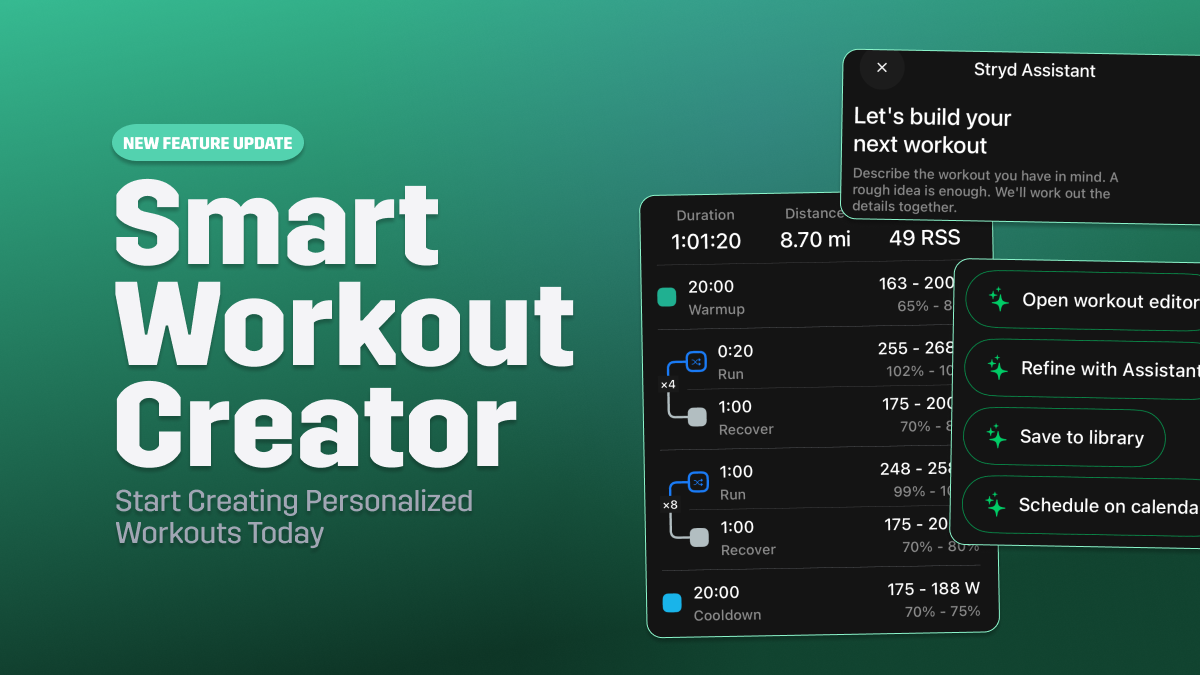
Today, we are officially releasing the new Smart Workout Creator, a Stryd Membership feature that makes it easier than ever to create personalized, power-based workouts using your own words.
Whether you know exactly what workout you want or have a general training goal in mind, Smart Workout Creator makes it easy to build structured workouts personalized to your Critical Power.
Let’s take a closer look at how Smart Workout Creator works.
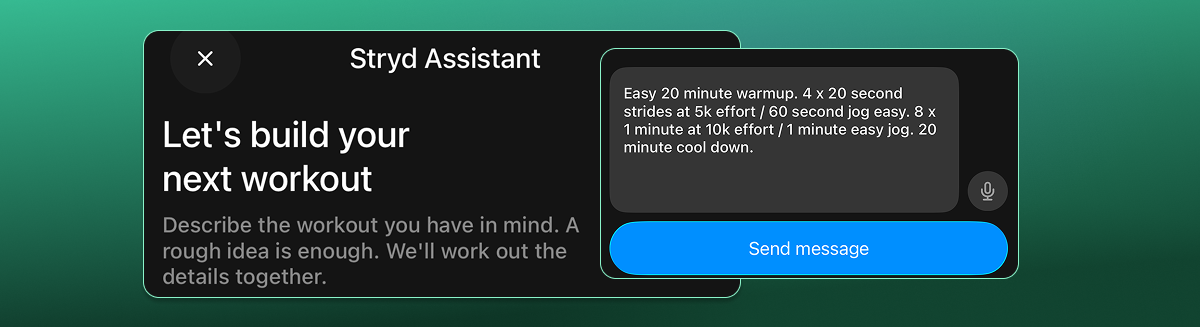
Describe Your Workout in Your Own Words
Have a workout in mind but don't want to spend time building every interval yourself?
With Smart Workout Creator, getting started is as simple as telling the Stryd Assistant what you want to run.
You can describe a specific workout, including your warmup, intervals, recovery periods, and cooldown, or start with a rough idea and let the Assistant help build it out.
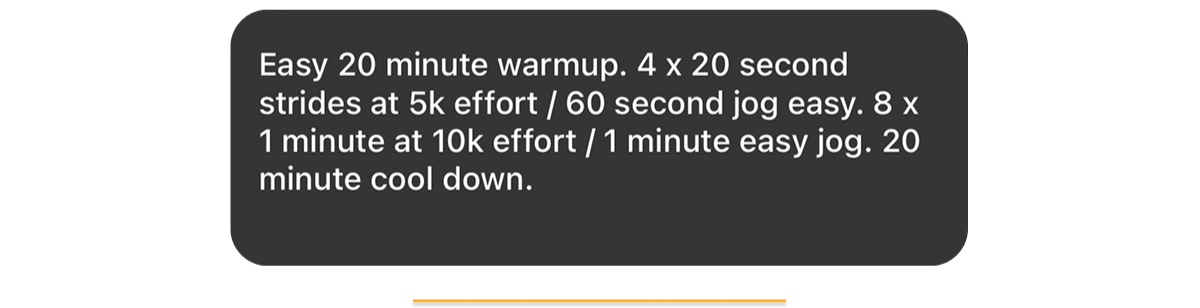
There's no need to manually enter every step or calculate power targets before getting started.
Just describe the session you have in mind, and Smart Workout Creator will turn your idea into a structured workout.
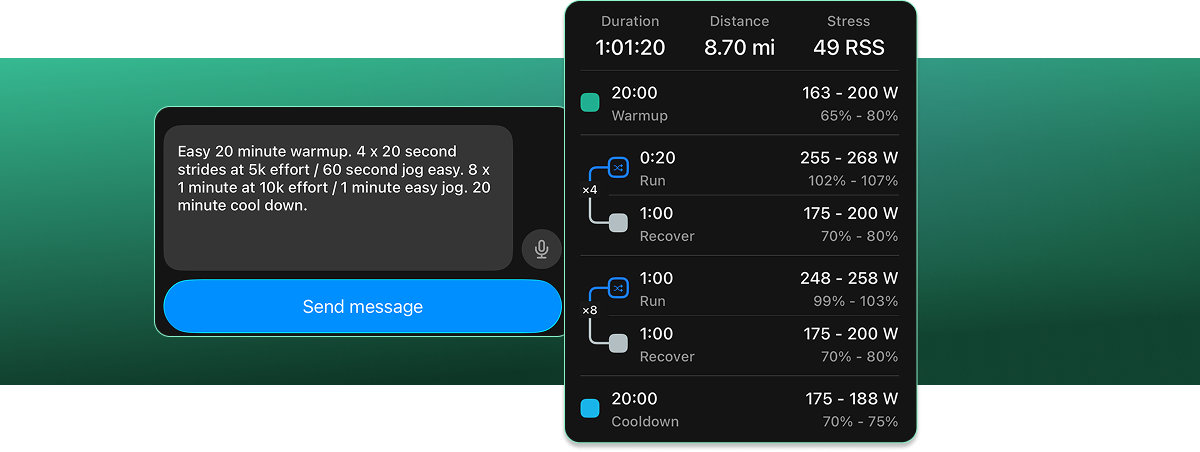
Get a Personalized, Power-Based Workout in Seconds
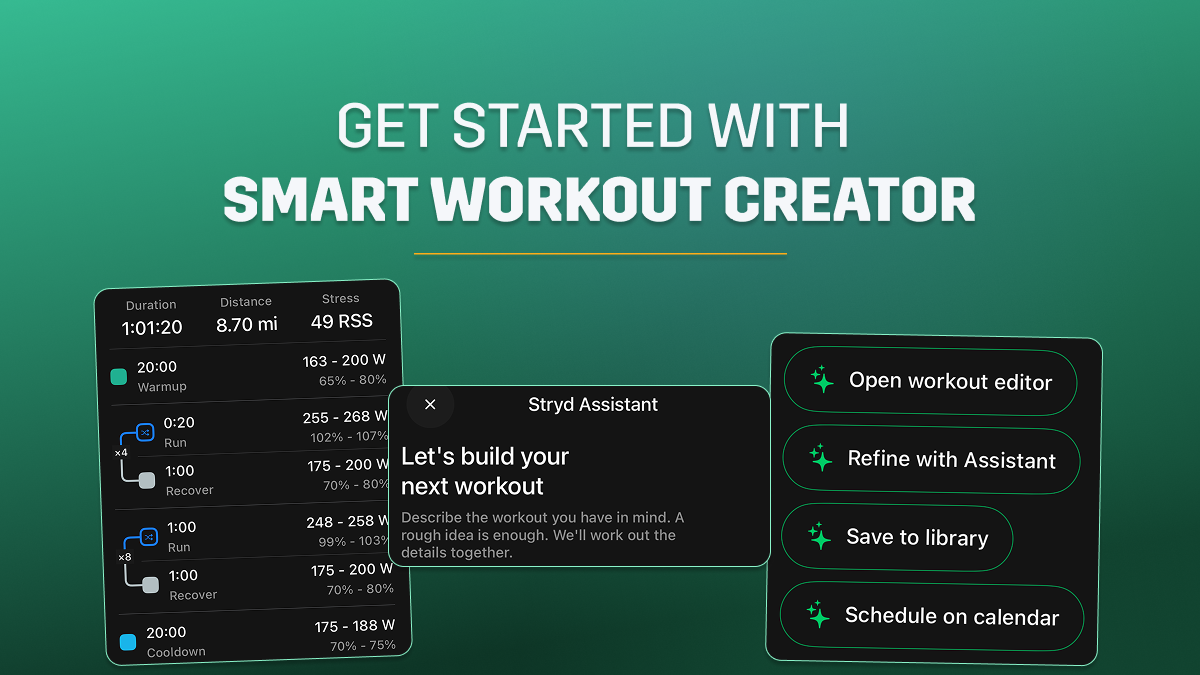
Once you've described your workout, the Stryd Assistant transforms your request into a complete, structured session with personalized power targets.
Each workout includes power targets displayed in both watts and as a percentage of your Critical Power, making it easy to understand the intended intensity of every interval.
You'll also see a summary of your workout's key training metrics, including:
- Duration: The total estimated time needed to complete your workout.
- Distance: The estimated distance you'll cover during the session.
- Running Stress Score (RSS): The estimated training stress of the workout.
With your workout structure, power targets, and training metrics in one place, you can review your session and understand what to expect before heading out for your run.

Make It Your Own: Refine, Save, or Schedule Your Workout
Your first workout doesn't have to be your final version.
Smart Workout Creator gives you the flexibility to fine-tune your session, whether you want to adjust a single interval, change the overall structure, or save it exactly as it is.
Once your workout is created, you have four options:
- Open Workout Editor: Make manual adjustments to individual workout steps, durations, or power targets.
- Refine with Assistant: Describe what you'd like to change, and let the Stryd Assistant update your workout.
- Save to Library: Keep your newly created workout in your library so you can return to it whenever you're ready.
- Schedule on Calendar: Add your workout directly to your training calendar and make it part of your upcoming training.
This flexibility makes it easy to go from a workout idea to a session that's ready to run, without having to build everything from scratch.
How to Get Started with Smart Workout Creator
Ready to turn your next workout idea into a personalized, power-based session?
Smart Workout Creator is available through the Stryd Membership.
To get started:
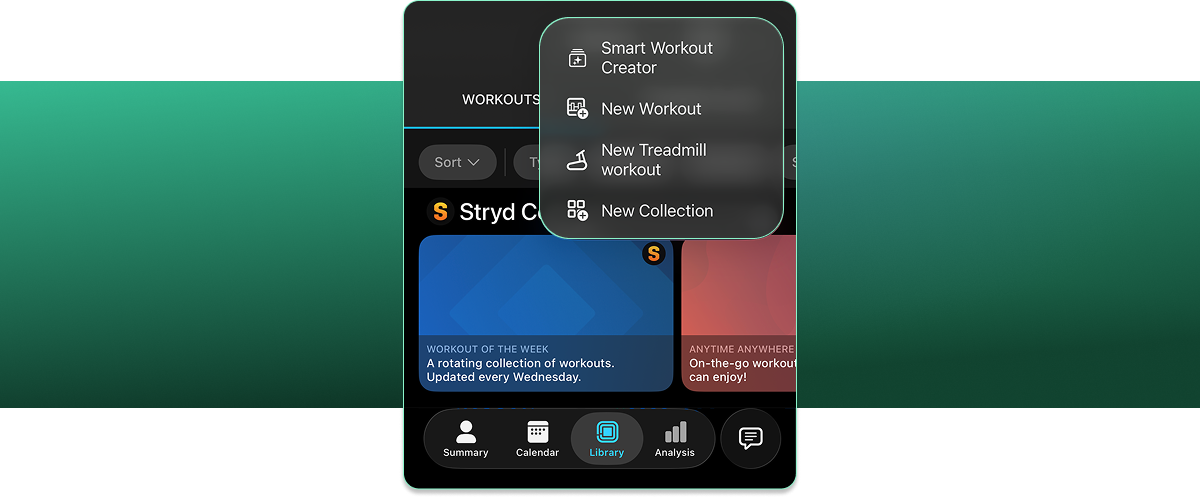
- Update to the latest Stryd mobile app
- Head to the Stryd Workout Library
- Click the + icon and select Smart Workout Creator
- Describe the workout you'd like to create and let the Stryd Assistant build it for you.
From there, you can review your workout, make any adjustments, and save or schedule it for your next run.
Start Creating Personalized Workouts Today
With Smart Workout Creator, building workouts around your training goals is easier than ever. Whether you're planning your next interval session or looking to try something new, you can turn your ideas into personalized, power-based workouts in just a few simple steps.
Ready to give it a try? Open the Stryd Assistant and start creating your next workout today.
Not a Stryd Member? Upgrade your account today to unlock Smart Workout Creator and take advantage of this new feature.